

26 June, 2026
Essential Web Design Tools for Designers and Developers
Web design has evolved significantly in recent years. Nowadays, creating a professional website depends not only on creativity but also on the tools we use to design, develop, and optimise every project.
From UX/UI prototyping platforms to code editors, image libraries, and testing tools, there are solutions that help improve productivity, user experience, and the overall quality of any website.
In this article, we’ve compiled some of the essential web design tools for designers and developers, organised by category so you can easily find the ones that best suit your needs.
Essential Tools for Web Designers
UX/UI Design Tools
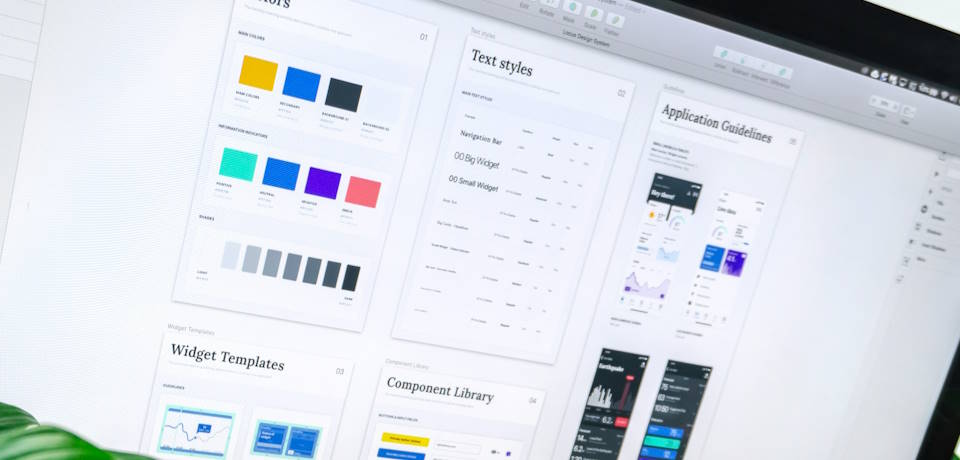
UX/UI design tools allow you to create wireframes, prototypes, and visual designs before starting website development. They are essential for planning the user experience and defining the visual structure of a project.
Figma
Figma is currently one of the most popular tools in the industry. Its main advantage is real-time collaboration, allowing designers, developers, and clients to work simultaneously on the same project.
Figma makes it easy to create responsive interfaces, design systems, reusable components, and interactive prototypes. In addition, it runs directly in the browser, eliminating the need for complex installations.
Adobe XD
Adobe XD is another widely used tool for interface and user experience design. It stands out for its seamless integration with the Adobe ecosystem, particularly Photoshop and Illustrator.
It allows users to create interactive prototypes and easily share designs with clients or development teams.
Sketch
Sketch was the industry standard for web design for many years, particularly among macOS users. Although Figma has become increasingly popular, Sketch remains a powerful tool for designing digital interfaces.
Image Banks and Visual Resources
Images play a key role in any web design project. Using high-quality photography enhances the overall appearance and conveys a much more professional image.
Unsplash
Unsplash is one of the world’s most popular free image libraries. It offers high-quality photographs for both personal and commercial projects.
Pexels
Pexels provides both free photographs and videos. It is particularly useful for projects that require quick, cost-free visual resources.
Freepik
Freepik offers vectors, icons, mockups, illustrations, and templates. It is widely used by both graphic and web designers.
Typography and Visual Design Tools
Typography and visual design have a significant impact on brand identity and website readability.
Google Fonts
Google Fonts is one of the most widely used platforms for integrating free fonts into websites.
Canva
Canva enables users to quickly create banners, presentations, social media graphics, and other visual assets without requiring advanced design skills.
Adobe Photoshop
Adobe Photoshop continues to be an essential tool for professional photo editing and image retouching.
Inspiration Platforms for Web Designers
Inspiration is a fundamental part of the creative process. There are numerous platforms where designers from around the world share trends, projects, and fresh ideas.
- Behance: discover projects related to web design, branding, UX/UI, and graphic design.
- Dribbble: one of the most popular platforms for finding visual inspiration and modern design trends.
- Awwwards: showcases some of the world’s best websites, highlighting innovative and creative projects.
Essential Tools for Web Developers
Code Editors for Web Development
Once the design phase is complete, web development begins. Having a reliable code editor improves productivity, helps organise projects, and makes it easier to detect errors quickly.
Visual Studio Code
Visual Studio Code is probably the most widely used code editor among web developers today.
- Intelligent code completion.
- Git integration.
- Built-in debugging tools.
- Support for multiple programming languages.
- Large and active user community.
Sublime Text
Sublime Text is known for its speed and lightweight performance. Many developers continue to use it because of its efficiency and simplicity.
WebStorm
WebStorm is aimed at professional developers working with JavaScript, React, Vue, or Angular.
CSS Frameworks and Frontend Development
Bootstrap
Bootstrap is one of the world’s most popular frontend frameworks.
- Responsive grid system.
- Pre-built components.
- Buttons and forms.
- Navigation menus.
- Ready-to-use CSS utilities.
Tailwind CSS
Tailwind CSS has gained tremendous popularity in recent years thanks to its utility-first approach.
Sass
Sass allows developers to write more organised CSS using variables, mixins, and reusable structures.
Web Testing and Optimisation Tools
- Google Lighthouse: analyses performance, SEO, and accessibility.
- PageSpeed Insights: identifies page speed and loading issues.
- Chrome DevTools: allows developers to inspect code and debug errors.
CMS and Website Building Platforms
- WordPress: the world’s most widely used CMS.
- Elementor: visual page builder for WordPress.
- Webflow: combines visual design with frontend development.
Conclusion
Web design and development are constantly evolving, and using the right tools can make a significant difference in productivity, quality, and final results.
From UX/UI tools such as Figma to CSS frameworks like Bootstrap and Tailwind CSS, as well as code editors, inspiration platforms, and optimisation tools, each of these solutions helps create faster, more modern, and more efficient websites.
The key is to find the combination of tools that best fits your workflow and stay up to date in a digital environment that is continuously changing.